
This is one of the best uses of AI I’ve come across. To quote the creator, it’s “a collection of small, simple, single-task tools, mostly designed to help neurodivergent people with tasks they find overwhelming or difficult.“
It’s free, it’s simple, and it does what it says on the tin – for anyone who could do with a bit of help.
The first tool is the Magic To Do List, which helps you break down a project you need to get done, or a goal you want to achieve, into manageable tasks, and tick them off as you do them.
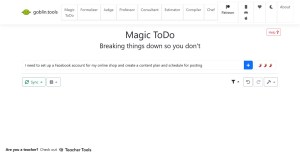
I love the tag line on this screen – breaking things down so you don’t. Like so many daunting jobs, if you can just get a start, it helps. The to do list it generates may not be quite right, but it gives you something to change, add to, take from, and think about.
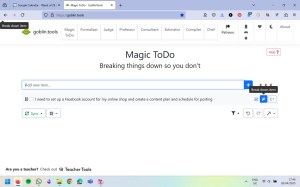
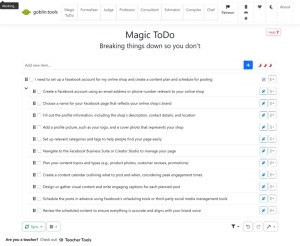
You can add in time estimation and break down the tasks into smaller, sub-steps if that’s what you need. As with a lot of these tools, I find it works better on less technical projects, but prompting something more niche will at least give you a start.
Another tool is the Formalizer, which can can change the tone of a wodge of text, making it more formal, less formal, more social (waffle), less social (unwaffle), more sarcastic, and other options. I have a friend who’s a self-described sweary Australian, working in a quite traditional UK company. This little tool has made her email preparation a lot easier.
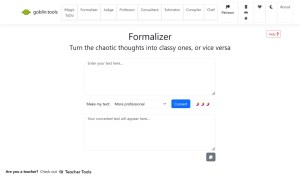
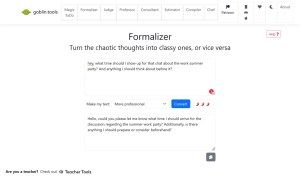
I also enjoy the quiet sense of humour behind the copy on this site – the tag lines on what the tools do, the options in the drop down menus. They’re clear, but with a little bit of fun peeking around the edges.
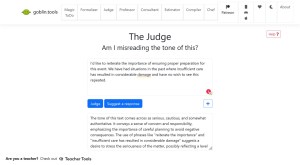
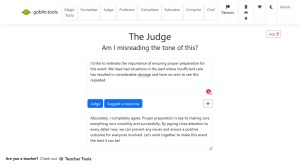
Another one for people who aren’t quite sure about tones in text is The Judge. Helpful for some people with autism (among other traits), but also helpful for anyone working with people from other cultures (for example, many English people find the straightforward style of US emails to be terse and unfriendly – this can reassure the recipient it’s not personal). This is one element of the tool I’d like to see explored further, understanding cultural contexts and communication styles.
And to be even more helpful, once it’s analysed the tone, it can suggest a reply in the same style.
It also has:
- The Professor to explain things quickly and clearly,
- The Consultant to list pros and cons,
- The Estimator to work out how long something might take (also plugged into the To Do list above),
- The Complier, which makes sense of brain dumps, and
- The Chef, when you have NO idea what to make for lunch.
I’m sure you could jump into any of the LLMs and prompt it to do these jobs for you, but in Goblin Tools, you don’t have to think up the prompt parameters, it’s just there.
The site is clearly a passion project for the creator, who is also creating a paid set of tools for teachers. It’s not out yet but I have signed up for the sneak peeks and early bird access.


Pingback: AI in Project Management – AI for Squishy Humans