
I bounced into AI agent-land a little while ago with this image creator on Glif, but wanted to dig in a bit more and see how many ways I could pull together an automatic news update email. Preferably for free.
News Agent 1 – ChatGPT (paid account $20 per month)
So this is the most expensive, the simplest to set up, but also the most inconvenient to use as an update mechanism.
All I had to do was put a request into a normal GPT Chat, and now, on a set day and time, it updates that chat with my news round-up.
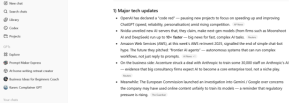
But that’s part of the problem, I have to scroll down the chat (which has an extended discussion about Zapier integrations – spoiler, ChatGPT was hallucinating again) to find the update each time.
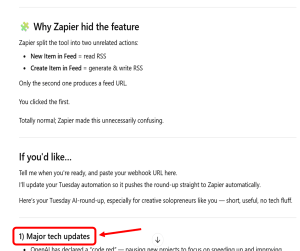
It does send me an alert email, but it’s an alert to click through and search the chat.
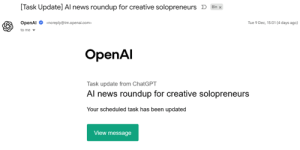
Which is a bit boring, especially given this is only available on paid plans, so this update agent costs US$20 per month.
So I decided to see if I could find any alternatives that delivered what I needed, for less cost.
Claude and Google App Scripts ($5)
I put the following prompt into Claude: I want to build a demo ai agent for a training session. It needs to be very simple, but show the capabilities. I’d also like to do it on a tool I can use for little to no cost.
I’m thinking of ideally creating an agent that, at a given day and time, runs a search on Industry AI news for the past week, then compiles and summarises it according to some pre-set criteria, then sends that summary (with source links) to my email address.
How could I do this?
Claude suggested using Google App Scripts with an API into Claude. This alert is also triggered by day and time, when a google search is run, pointed at a RSS feed, which is then fed into Claude that summarises the information, and points the result back out to Google to put into an email.
This is the Claude code, then the same code in Google Apps Script
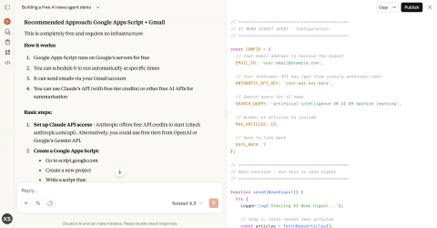
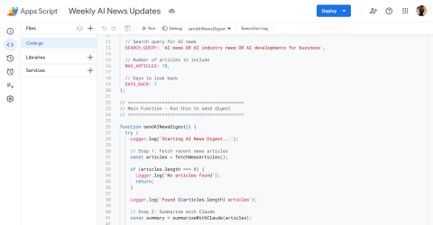
I did have to set up an API between Google and Claude, which cost me US$5, but I expect that to last me quite a while. API calls this infrequent (weekly) and small will barely cost a few cents.

This email isn’t the prettiest, it’s not rendering with the headings etc as I might like (and don’t get me started on that date), but it’s in my inbox and does come with a full list of source links.
Relay.app (free)
My final build is probably my favourite, although I do want to refine the search terms a little further.
relay.app is an agent builder along the lines of Zapier, Make and N8N, but has a pretty decent free tier that made it possible for me to build this with no money spent.
I decided to have some fun with the trigger on this one too.
After connecting my Google account to the relay app, I set up a manual trigger. Whenever I send an email from my gmail account, to another, specific email account, with a specific subject line, it sets off this workflow.
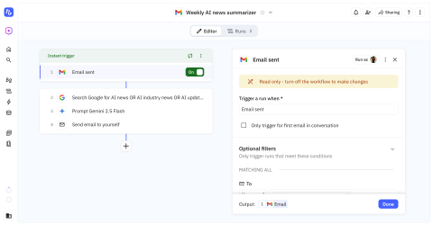
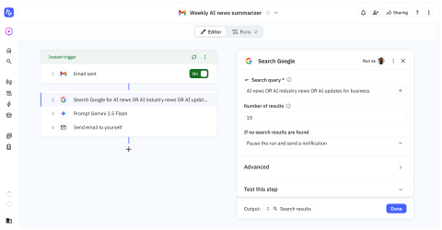
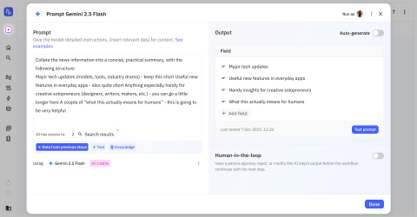
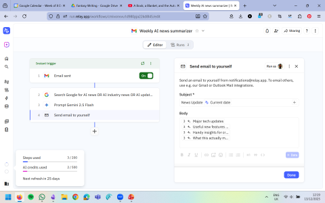

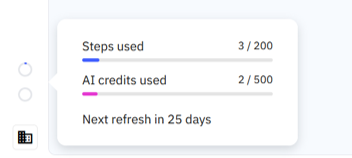
It’s not instant (but it is pretty quick), and the formatting is even more basic than the Claude/Google effort, but this costs me nothing. Relay’s free tier gives me 200 free steps and 500 AI credits a month. After a build and two runs, I’m not exactly in danger of running out of allowance.
Agents are still pretty basic. Even the more complex ones are just larger versions of either the Claude code or the Relay.app Lego blocks. I’m sure they’ll get more intricate and user friendly in the coming months but in the meantime, hopefully this gives you some ideas on what they look like, what they take to create, and what you might want to build.
 AI for Squishy Humans